Texttospeechai · text to speech ai

Turn written words into natural-sounding voice

Practical voice guide

Follow a Text to Speech AI Tutorial Free, Step by Step

This text to speech ai tutorial free shows how to turn a written script into clear spoken audio, from preparing your text to reviewing the finished voice output.

Review output before publishing

Prerequisites

A good text to speech ai workflow begins with a prepared script, a clear purpose, and a simple review plan.

Numbered steps

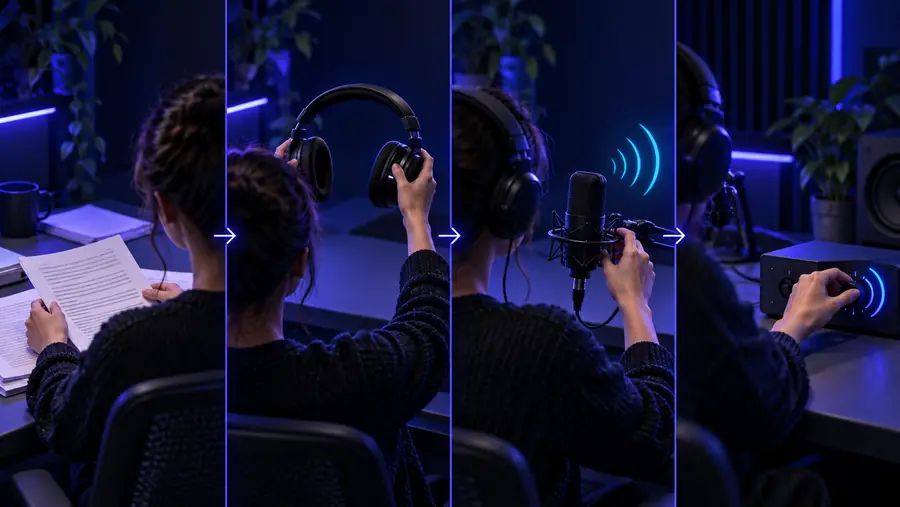
The core text to speech ai process is simple: prepare the words, shape the delivery, then listen and revise before sharing the result.

  1. 1

    Prepare the script

    Decide who will hear the audio and what they should understand or do. Remove unfinished notes, repeated ideas, excessive abbreviations, and visual cues that make sense only on the page. Add punctuation where you want a pause, and split long paragraphs into short sections so the voice remains easy to follow. A useful script normally has a clear opening, a logical middle, and a final line that closes the idea. In text to speech ai, the written script is the main control surface: clearer input usually produces a more consistent spoken result.

  2. 2

    Describe the delivery

    Choose the intended mood before generating audio. For example, ask for a calm instructional reading, a bright announcement, or a steady narration with measured pauses. Keep the direction specific but not overloaded. Mention the audience, pace, pronunciation concerns, and emotional range that matter most. If the tool accepts a prompt, write one complete instruction rather than a list of disconnected adjectives. Text to speech ai responds more reliably when the desired voice behavior is connected to the purpose of the script.

  3. 3

    Listen, revise, and export

    Treat the first result as a draft. Listen for names, numbers, acronyms, sentence endings, unnatural pauses, and changes in emphasis. Revise the source text instead of trying to solve every issue with more voice adjectives. Shorten dense sentences, spell out an unfamiliar abbreviation, or add punctuation to mark a pause. Generate the updated passage again, compare it with the original, and keep the version that best serves the listener. This review loop is the most important part of a dependable text to speech ai tutorial.

Common errors and fixes

Most weak results come from the script rather than the voice model. Use these practical checks before deciding that the text to speech ai output is unusable.

Review pronunciation, pacing, and emphasis before publishing
3 checks
Compare an initial read with a revised script
2 drafts
Ask one person to hear the result without seeing the text
1 listener

Advanced tips

Once the basic workflow works, compare a careful draft with a rushed draft to see how preparation changes the final listening experience.

Prepared text to speech ai draft
Unedited source text

Sentence length

Prepared text to speech ai draft

Short and varied sentences make the pacing easier to follow.

Unedited source text

Long chains of clauses can sound dense and difficult to track.

Punctuation

Prepared text to speech ai draft

Commas, full stops, and paragraph breaks mark intentional pauses.

Unedited source text

Missing punctuation can create rushed or poorly placed pauses.

Numbers and dates

Prepared text to speech ai draft

Write them in the form most likely to be pronounced correctly for the audience.

Unedited source text

Dense numerals may be read inconsistently or without useful emphasis.

Acronyms

Prepared text to speech ai draft

Spell out unfamiliar terms or add a pronunciation hint in the script.

Unedited source text

Unexplained abbreviations can produce distracting misreadings.

Tone direction

Prepared text to speech ai draft

Describe audience, mood, pace, and purpose in one focused instruction.

Unedited source text

A pile of contradictory adjectives gives the voice no clear priority.

Revision method

Prepared text to speech ai draft

Change one issue at a time and listen again to isolate the effect.

Unedited source text

Changing the whole prompt repeatedly makes it hard to identify what helped.

Paragraph structure

Prepared text to speech ai draft

Separate ideas into sections with a visible beginning and end.

Unedited source text

A single unbroken block can flatten the delivery and hide transitions.

Final quality check

Prepared text to speech ai draft

Listen without reading along so awkward wording is easier to notice.

Unedited source text

Reading the script at the same time can hide problems in the spoken result.

Advanced tips

A text to speech ai tutorial can show the happy path, but a reliable workflow also makes room for limitations and practical workarounds.

Pronunciation is not always predictable

Names, specialist terms, abbreviations, and words borrowed from another language may be pronounced in an unexpected way.

Workaround

Rewrite the word phonetically where appropriate, spell out the term, or test a short sample before generating the full script.
Emotion cannot replace clear writing

A stronger voice direction will not fix confusing structure, vague references, or sentences that are too long to speak naturally.

Workaround

Edit for one idea per sentence, add transitions, and make the listener's next question clear in the script.

The first generation may need revision

Even a polished prompt can produce a passage with an awkward pause, misplaced emphasis, or an inconsistent reading.

Workaround

Review the audio in sections, revise only the affected lines, and compare another draft instead of publishing immediately.

Synthetic speech needs responsible use

A generated voice should not be presented as a real person's statement or used to mislead an audience about who is speaking.

Workaround

Label generated narration when context requires it and use voices, scripts, and source material you have permission to use.

Before and after

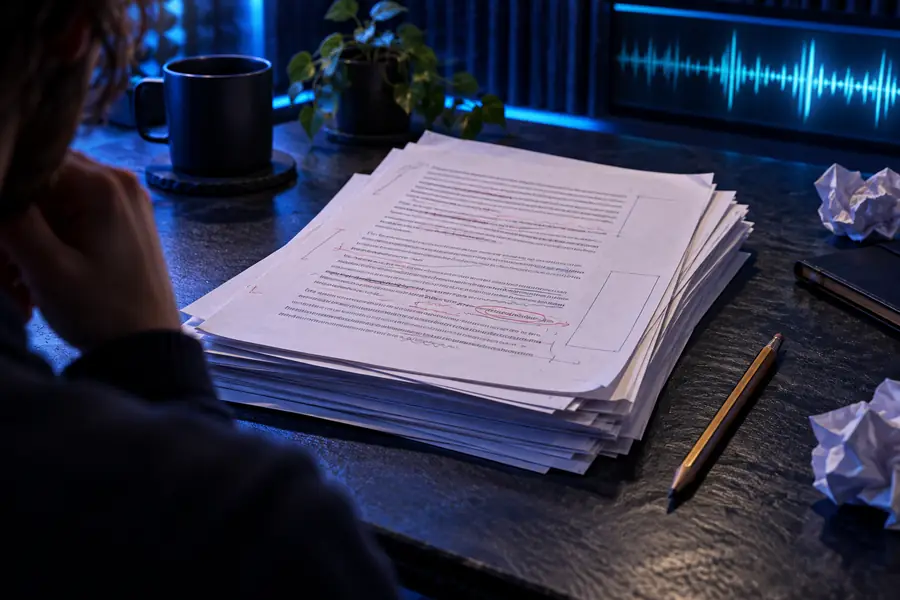
Unedited text prepared for a text to speech tutorial Before: raw script
Polished spoken-content example after script revision After: revised narration
The strongest improvement usually comes from clearer wording, punctuation, and review—not from adding more instructions.

Put the tutorial into practice

Turn your next script into a clearer spoken draft

Use the workflow above to prepare a short passage, describe the delivery you want, and listen for the details that matter to your audience. Starting with a focused task makes it easier to judge the result and revise with purpose.

Create a voice draft
  • Prepare the wording before generating
  • Review pronunciation and pauses
  • Revise before sharing the audio

Tutorial FAQ

These answers cover the practical questions people ask when beginning a text to speech ai tutorial free workflow.

Begin with a short script and decide who will listen to it. Clean up the wording, describe the desired tone and pace, generate a draft, and listen to the result before revising.

Include the purpose of the audio, the intended audience, the mood, and any important pacing or pronunciation guidance. A focused instruction is usually more useful than a long list of conflicting voice adjectives.

Names, acronyms, technical terms, and words from other languages can be ambiguous in written form. Spell out unfamiliar terms, add a pronunciation hint where appropriate, and test the affected sentence before generating the full passage.

Improve the script first by shortening long sentences, varying paragraph length, and adding punctuation where a pause belongs. Then listen without reading along, because that makes rushed wording and awkward emphasis easier to notice.

A tutorial can teach the workflow, but a complete project still needs script editing, pronunciation checks, listening review, and responsible use of the resulting voice. Treat the first generation as a draft rather than a finished publication.

Start creating
Start creating